

Typography Basics
Famous Brand Fonts: The Typefaces Behind Iconic Logos
A logo can be recognizable in a single glance, and a huge part of that recognition is the typeface. The font a brand chooses carries its personality before you read a single word — trustworthy or playful, luxurious or efficient. This guide explains how the world’s biggest companies choose their fonts, the families that dominate branding, and exactly how to identify and legally use a brand-style typeface in your own work.
Why brands obsess over their font
Typography is one of the cheapest, most powerful branding tools there is. A consistent typeface across a website, packaging, and ads makes a company feel coherent and intentional. It also does emotional work: a geometric sans-serif signals modern and precise, a high-contrast serif whispers premium and editorial, and a rounded face feels friendly and approachable. The same words set in two different fonts can feel like two completely different companies.
The four styles that dominate branding
Most brand identities fall into one of four typographic families. Recognizing them is the first step to identifying any brand’s font.
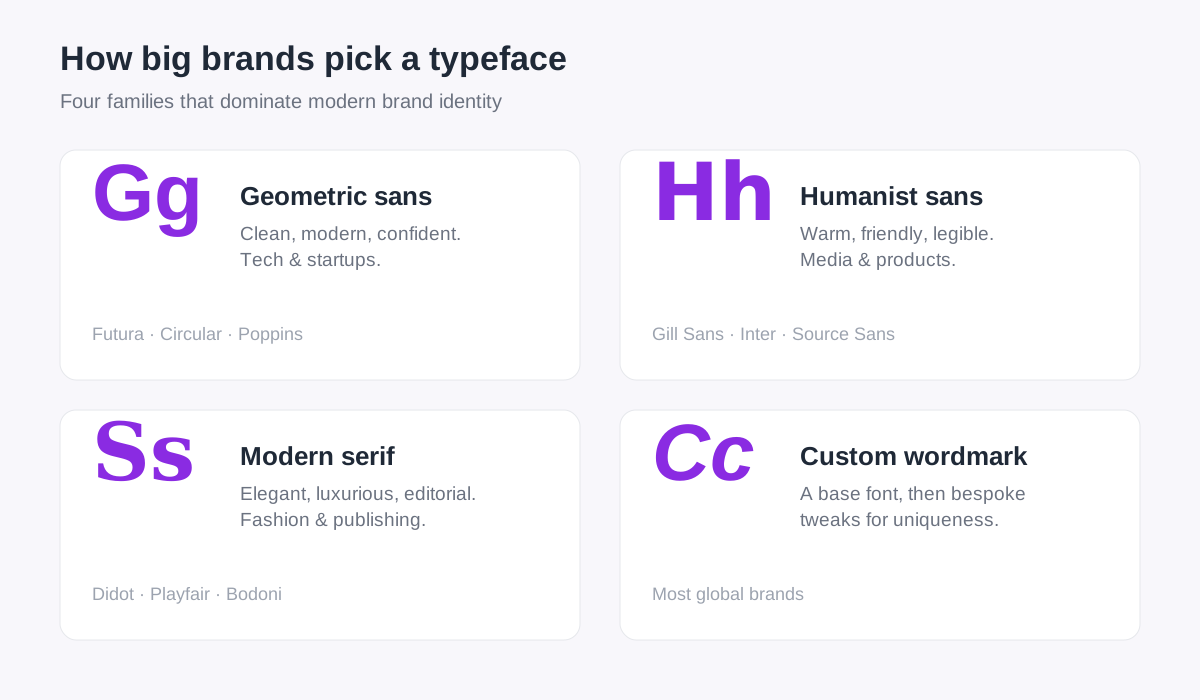
- Geometric sans-serifs — built from clean circles and straight lines (think Futura, Circular, Poppins). They feel modern, confident, and precise, which is why so many tech companies and startups reach for them.
- Humanist sans-serifs — softer and warmer, with subtle calligraphic detail (Gill Sans, Inter, Source Sans). They read as friendly and trustworthy, popular with media brands and consumer products.
- Modern serifs — high contrast between thick and thin strokes (Didot, Bodoni, Playfair Display). They signal luxury, heritage, and editorial polish, which makes them a favorite in fashion and publishing.
- Custom wordmarks — many global brands start from one of the fonts above, then customize the letterforms so the mark is uniquely theirs. An AI font finder will usually still identify the underlying base typeface.
If you are still fuzzy on the serif-versus-sans distinction at the heart of these categories, our guide to serif vs. sans-serif breaks it down with examples.
How to find out what font a brand uses
You do not have to guess. Identifying a brand’s typeface takes three quick steps.
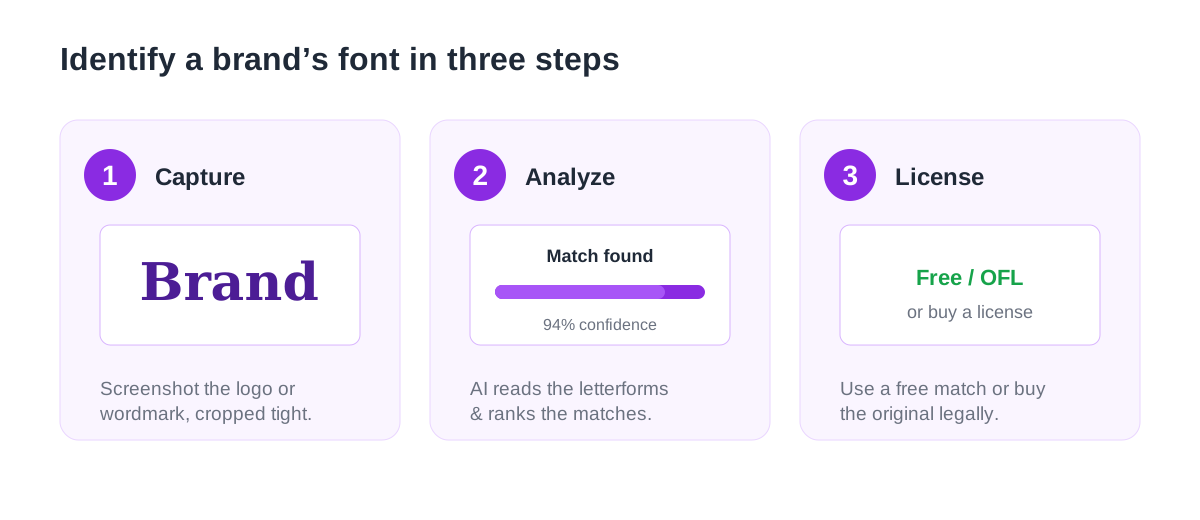
- Capture the wordmark. Take a clean, tightly cropped screenshot of the logo or brand text. High contrast and a level baseline give the best results.
- Analyze it with an [AI Font Finder](/). The model reads the letterforms and returns ranked matches with confidence scores — even if the brand has lightly customized its logo, you will usually get the base typeface.
- Get a match you can use. The results include free, open-source look-alikes you can adopt immediately, or the original commercial font you can license from its foundry.
Because the AI matches shapes rather than metadata, it works on flattened logos where there is no underlying CSS to inspect — exactly the situation where viewing a page’s source falls short.
The legal line: identify, do not copy
This is the part that trips people up, so it is worth stating plainly.
Identifying the font in a brand’s logo lets you license that typeface for your own original designs. It does not give you the right to reproduce the logo itself — logos are protected by trademark and copyright, independent of the font.
In other words, you can absolutely use the same typeface a famous brand uses to set your own headlines and your own wordmark. You cannot recreate their actual logo and pass it off as your own. And before you use any font you identify, confirm its license: some brand fonts are free, many are commercial. Our font licensing guide explains the difference between free, open-source, and paid licenses.
Choosing a brand font for your own project
Once you know which family fits your brand, picking a font is much easier. A few principles from the pros:
- Match the font to the feeling. Decide what you want people to feel — modern, trustworthy, premium, playful — then choose the family that signals it.
- Prioritize legibility. A distinctive display face is great for a logo, but your body text needs a highly readable workhorse. See accessible typography.
- Pair, do not clutter. One or two typefaces is plenty. Our best Google Font pairings are free, commercial-friendly starting points.
- Stay fast. Every weight is a download, so load only what you use. Our web font performance guide keeps your brand fonts from slowing the page.
Curious what a brand you admire is using? Upload a screenshot of its logo to the AI Font Finder to identify the typeface in seconds, then browse free, similar fonts in our Font Library to recreate the look — legally — on your own site.
Spotted a font you love?
Upload any image and let our AI identify the typeface in seconds — free, no sign-up.
Try the AI Font Finder